- Home
Frequently Asked Questions
(as of March 25)
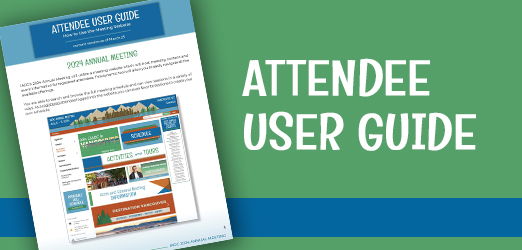
Access the Attendee User Guide HERE.
Looking for something specific? Click the links below:
CONTENT ACCESS
In what time zone are Annual Meeting sessions listed on the website?
The time for all sessions listed is in Pacific Daylight Time (GMT-7:00). On Demand program content will be released on Sunday, July 7 and will be available to attendees and On Demand CLE Content registrants at that time.
How do I log into the meeting website or app?
Please note: You must first register for the Annual Meeting with the IADC before you are able to log into the meeting website.
To login to the meeting website, use your IADC website username and password. This will allow you to view attendees, create your personalized schedule, update your profile, and more. During the conference, after logging in you will be able to access CLE materials and On Demand programs as well.
To login to the app, use your IADC website username and password. The event app will become available the week before the conference. During the conference, the app allows you access to everything found on the meeting website with additional onsite content and features.
How does my spouse/significant other/guest access the meeting website or app?
Registered attendees can share their login username and password with
one additional non-business associate guest. This allows the attendee and their guest, if needed, to login and access the meeting website at the same time and on different devices.
The daily schedule of events will be shared via email with registered attendees during the meeting. If your spouse/significant other/guest would like to receive that email and we don't have their email address on file, please email
Ashley Hatfield, Director of Communications, who can get them added to that list. We will also have printed schedules included in registration materials, but
as a reminder the schedule shared via email or in the app will be the most up-to-date should changes occur.
Don't forget! If you registered a spouse/significant other/guest for the meeting, make sure to include them on your profile page on the meeting website. For information on how to do this, please reference the
Attendee User Guide.
TROUBLESHOOTING TECHNOLOGY
Technology is great….when it works!
First, are you logged in?
Second, is your internet reliable? VPNs may interrupt your connectivity to video content.
Third, make sure you turn on your speakers.
I’m having trouble viewing the video content – what should I do?
Verify your browser. Google Chrome is recommended for the best user experience.
Disconnect from VPN.
If that doesn’t resolve your issue, confirm you do not have a firewall blocking your access to the site.
Clear your web browser history and cache, and close any other tabs using a lot of bandwidth.
Check your internet connection.
CONTINUING LEGAL EDUCATION PROGRAMMING
How long will I be able to access the CLE content after the meeting?
As a registered in-person attendee, you will have access to both the onsite programming and the On Demand programming offerings.
As a registered On Demand CLE Content only attendee, you will have access to the On Demand programming starting on Sunday, July 7 (A.M. PDT).
The On Demand programming will be available until October 1 for all attendees.
Are you required to complete evaluations or take additional steps to earn the CLE credits available?
Information on requirements for onsite room check-in procedures and completion of evaluations will be communicated via email to registered attendees prior to the meeting.
In-person attendees will need to complete CLE evaluations for in-person programming by July 31. CLE evaluations for On Demand programming will need to be complete by October 1.
How do I claim CLE credit?
Information on how to claim credits will be communicated via email to registered attendees prior to the meeting and will be found on the CLE Information page.
Please note: All evaluations and the process of claiming CLE credit are done online and through the meeting website or app.
NETWORKING
How can I connect with attendees during the meeting?
The Annual Meeting has many opportunities for you to meet and connect with fellow attendees. When viewing the
Full Schedule page, look for events marked with the wine glass or plate icon which denote social opportunities. Look for events marked "BDO" for business development opportunities you won't want to miss!
How can I communicate with attendees during and after the meeting?
Click “Participants” in the navigation to view attendees and speakers. View their profile and contact information and reach out via the message board and email buttons. You can also utilize
IADC's Member Directory if needed. We also encourage you to use #iadcmeetings to connect on IADC’s social media! Our social channel links can be found at the bottom of the meeting website.
Still have questions?
Email info@iadclaw.org.
Call the IADC office at +1.312.368.1494.
Visit the Registration Desk during the meeting.

.jpg)